

ASAHOM T-Splitter Compatible with Govee Permanent Outdoor Lights/Pro(Model: H705B, H705C, H706A, H706B, H706C) S1050 S1060, T-Splitter for Eufy Permanent Light E120, Black(Type B)
Product details
| Management number | 219037430 | Release Date | 2026/05/03 | List Price | $7.60 | Model Number | 219037430 | ||
|---|---|---|---|---|---|---|---|---|---|
| Category | |||||||||
Component Description: Indicator Light: Flashing Green: Pairing mode Solid Green: Successfully paired Button: Press and hold for 10+ seconds to reset Resetting clears all saved T-Splitter settings and returns the device to pairing mode. How to Set up T-Splitter? 1.Connect the T-splitter at the desired branch point.(make sure the green indicator light on the back of t-splitter keep flashing before connected to ASAHOM app, if no, please long pree the button on the back of t-splitter until the green indicator light is flashing.) 2.Set the correct number of lights for Out1 and Out2 on the controller. Make sure the lights remain ON. 3.Open the ASAHOM App and tap the “+” icon in the upper right corner to add a T-splitter. 4.After detection, select the brand and model according to your actual product (e.g., ASAHOM S1050). 5.Set the number of LEDs on each branch based on your layout. 6.Wait for about 1 minute, then the lights can be controlled normally.
- Package list: ASAHOM black t-splitter(type b) x1, adhesive backing x 1.
- Compatible Device: ASAHOM T-Splitter(Type B) for ASAHOM S1050 S1060 permanent outdoo lights and T-Splitter for Govee permanent outdoo lights/Pro(H705B, H705C, H706A, H706B, H706C), T-Splitter for Eufy permanent outdoo lights E120, black
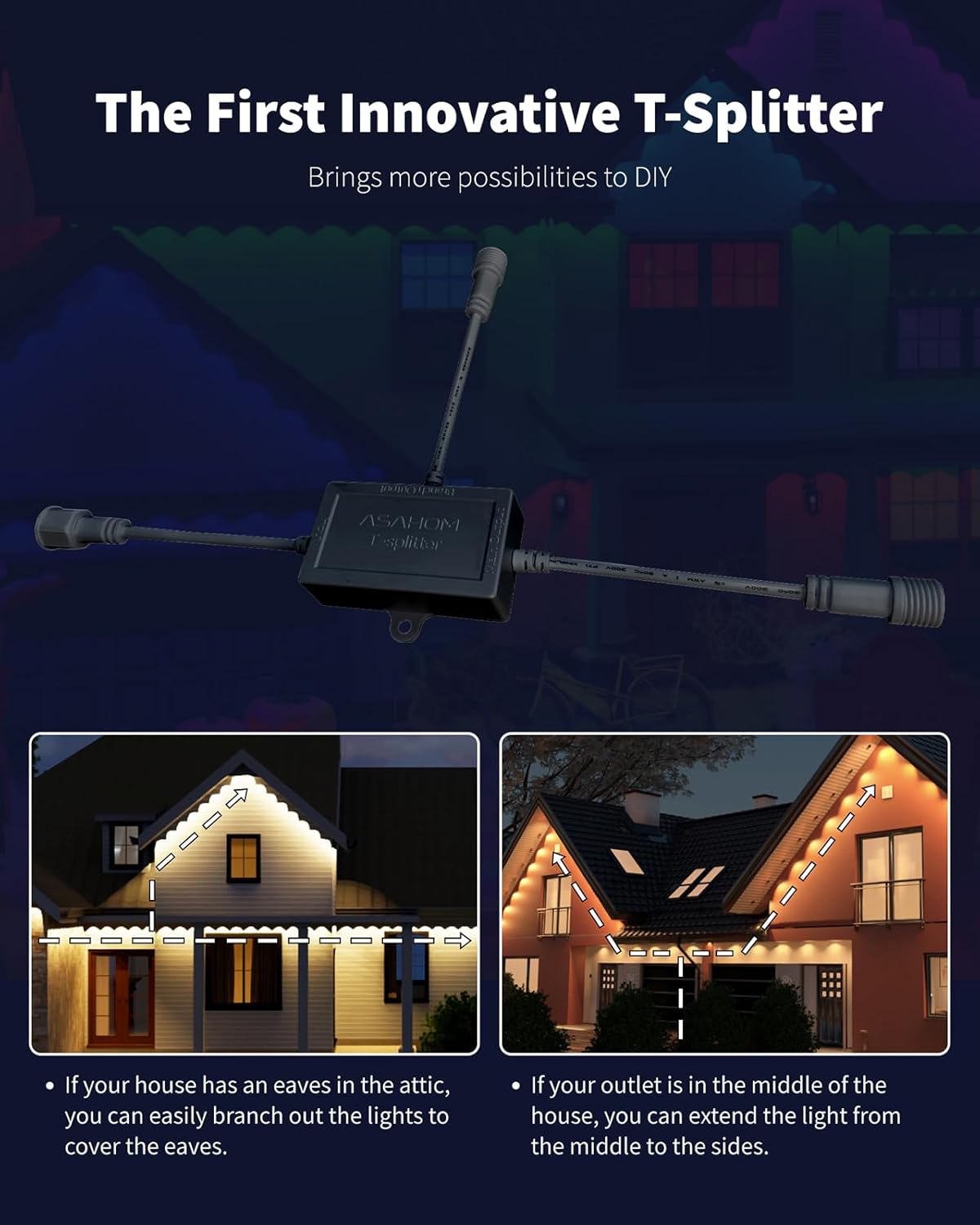
- Innovative T-Splitter: It allows one signal line to drive two separate light branches. It can be connected directly to the controller output to split the signal from Out1 or Out2. Or it can be inserted midway in a light string to branch off and create two independent sections.
- When to Use: When you want to run two light strings in opposite directions from the same controller Ideal for “center-out” layouts on eaves, fences, or rooftops
- Tips: This component splits signal only, not power; Neither the main output nor any branch output of the T-splitter may exceed 288 LEDs. If the indicator light is distracting, you can disable it via the app.
| Color | Black |
|---|---|
| Theme | Christmas |
| Occasion | Christmas |
| Brand Name | ASAHOM |
| Unit Count | 144.0 Count |
| Item Length | 1 Feet |
| Light Color | White |
| Manufacturer | ASAHOM |
| Model Number | A1026 |
| Power Source | Corded Electric |
| Material Type | Plastic |
| Product Style | Modern |
| Number of Items | 1 |
| Light Source Type | LED |
| Additional Features | allows one signal line to drive two separate light branches |
| Included Components | ASAHOM black T-splitter (Type B)x 1, adhesive backing x1 |
| Indoor Outdoor Usage | Outdoor |
| Connectivity Protocol | Wi-Fi |
| Water Resistance Level | Water Resistant |
| Number of Light Sources | 1 |
| Manufacturer Part Number | A1026 |
| Ingress Protection Code Rating | IPX4 |
| Manufacturer Warranty Description | 1 year warranty. |




Bestseller ranking
Renaissance





Customers who viewed this product also viewed
String Lights


Correction of product information
If you notice any omissions or errors in the product information on this page, please use the correction request form below.
Correction Request Form